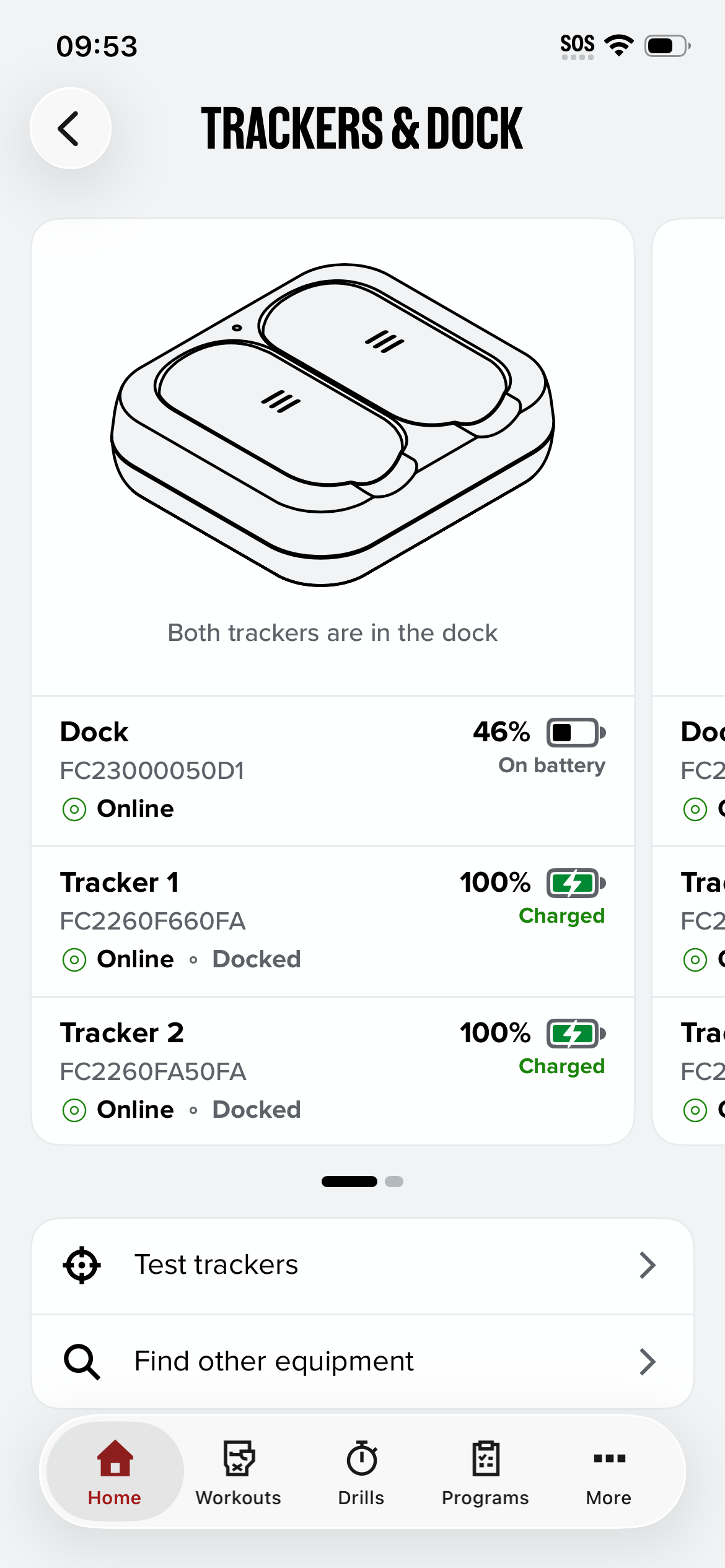
Check your battery levels
You can see the battery level of your Dock and each Tracker in the FightCamp app.
On the Home screen, find the Trackers & Dock card.
Tap See Trackers Connection.
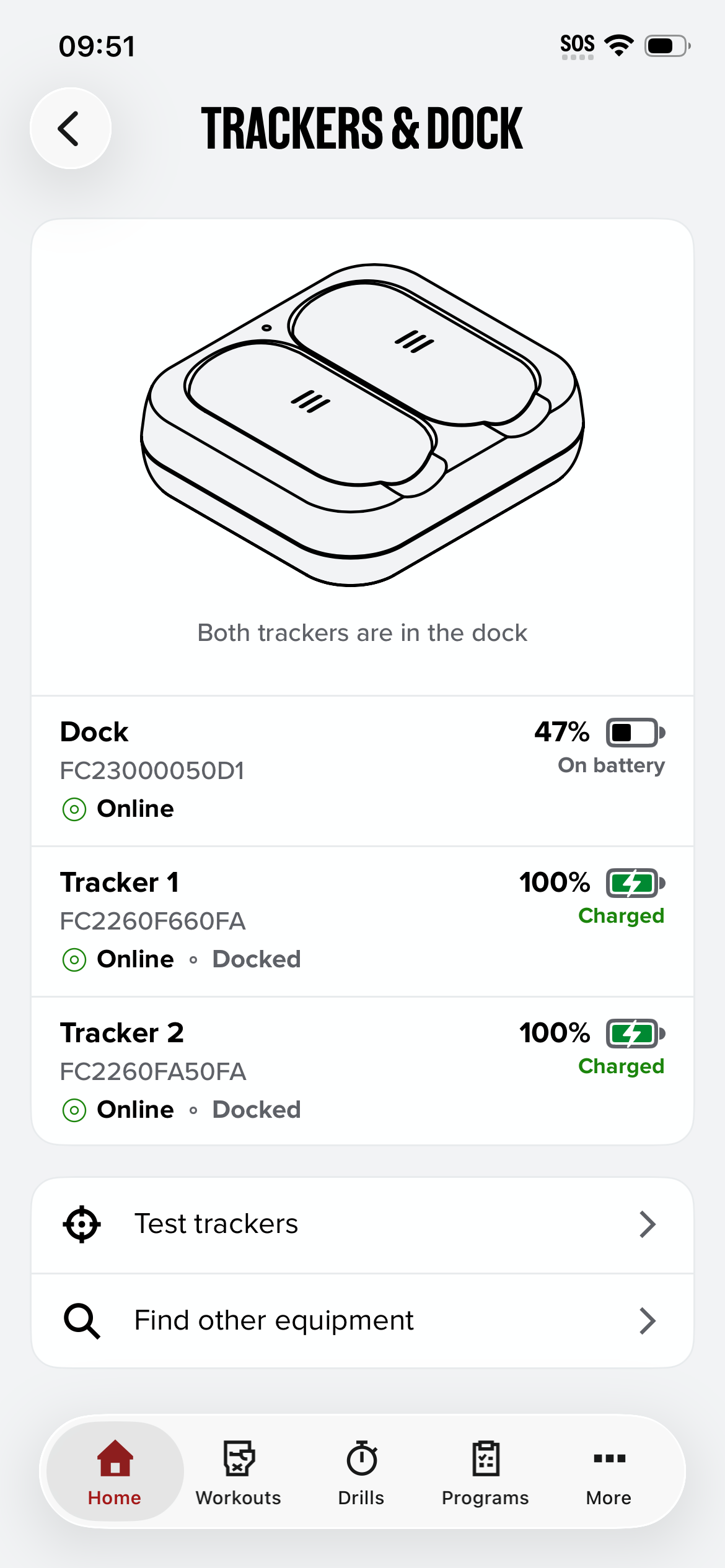
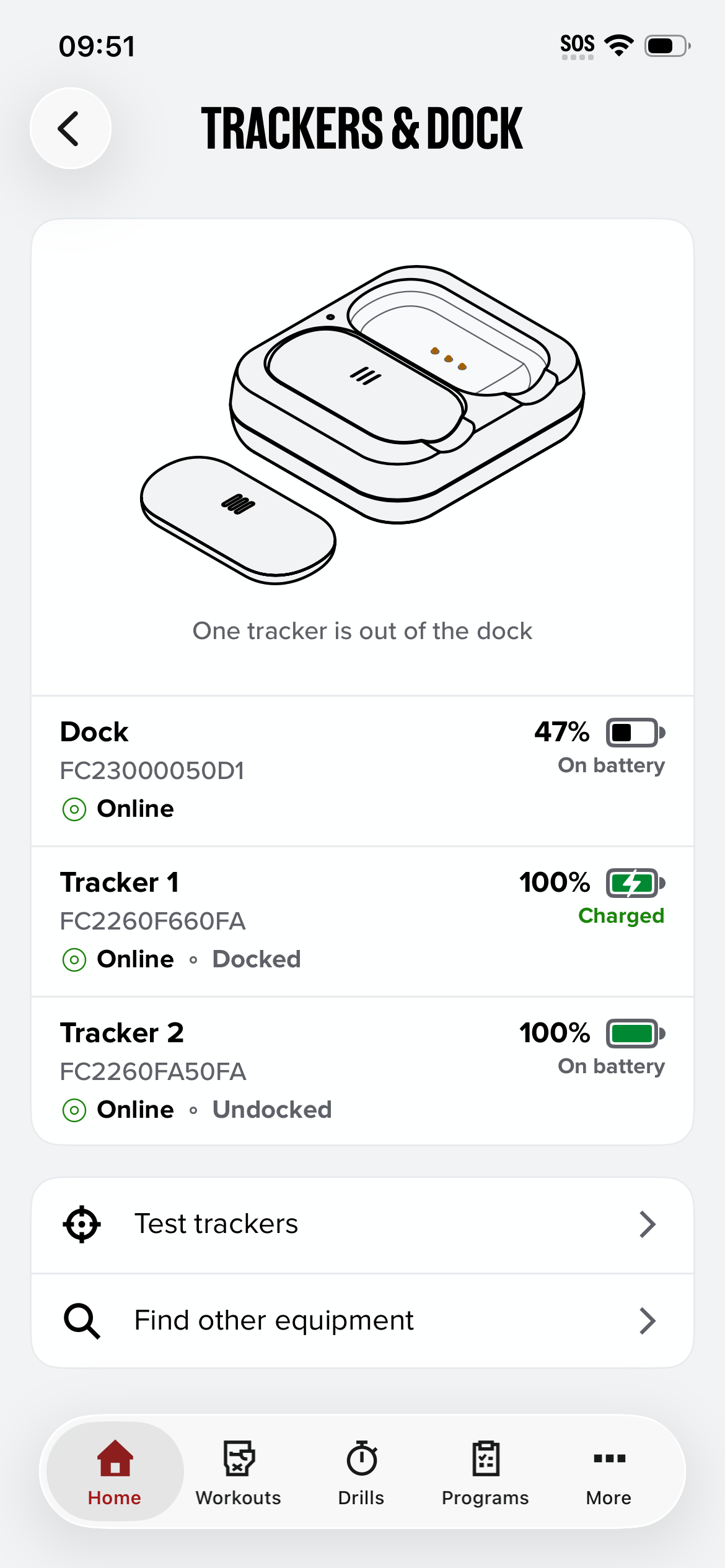
The Trackers & Dock screen shows:
| What you see | What it means |
|---|---|
| Online | The Dock or Tracker is connected to your phone. |
| Docked / Undocked | Whether the Tracker is in the Dock. |
| Charged (green) | The Tracker is in the Dock and fully charged. |
| On battery | The Dock or Tracker is running on its own battery. |
| Battery % | How much charge is left. |
If you have two sets, swipe left or right to see the second Dock and its Trackers.