Pair your Gen3 Trackers & Dock
You pair your equipment once in the FightCamp app. After that, it connects automatically.
Before you start
Update the FightCamp app to the latest version.
Turn on Bluetooth on your phone or tablet, and allow FightCamp to use it.
Place both Trackers in the Charging Dock and keep the Dock next to your phone.
Steps
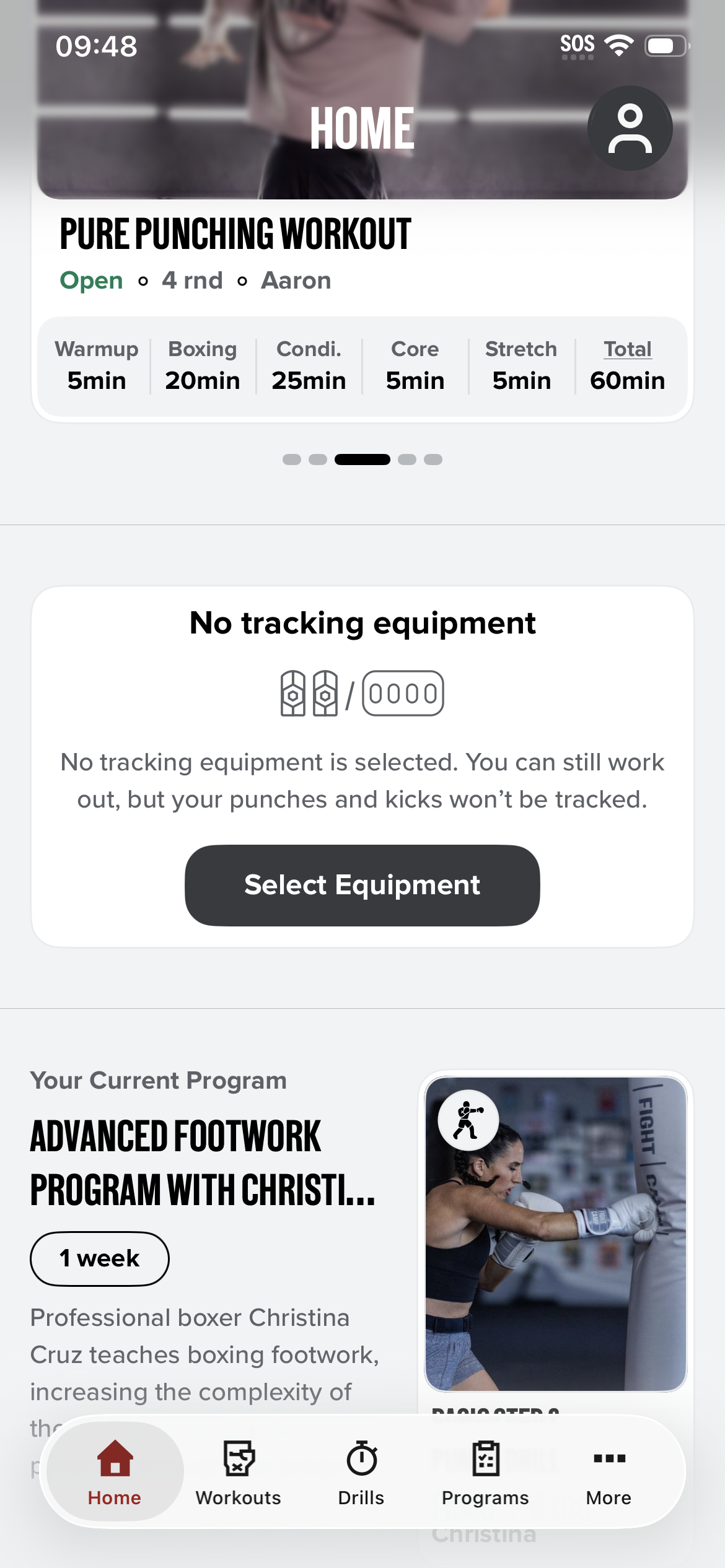
Open the FightCamp app. On the Home screen, tap Select Equipment on the No tracking equipment card.
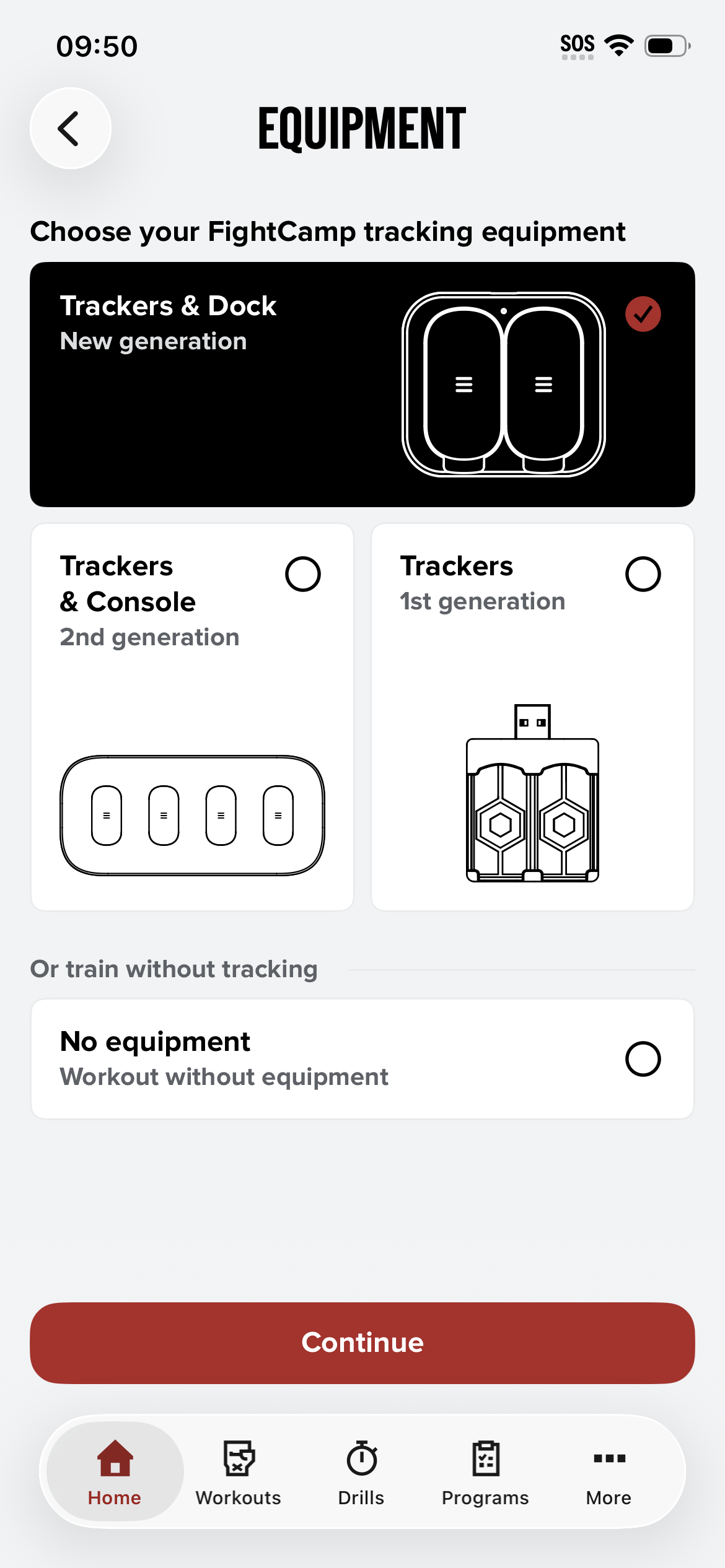
Choose Trackers & Dock (New generation) and tap Continue.
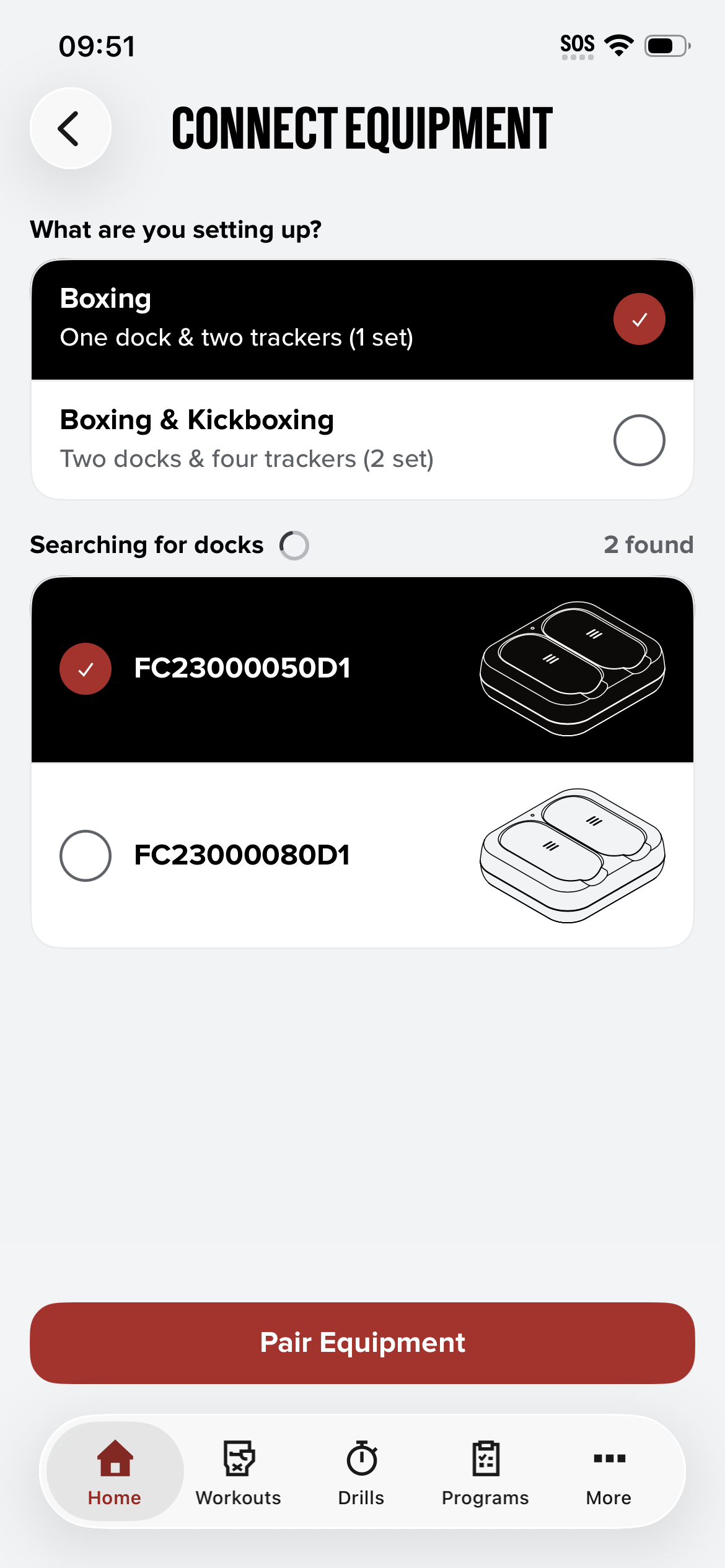
Under What are you setting up?, choose Boxing (one dock & two trackers).
The app searches for nearby Docks. Select your Dock from the list.
Tap Pair Equipment.
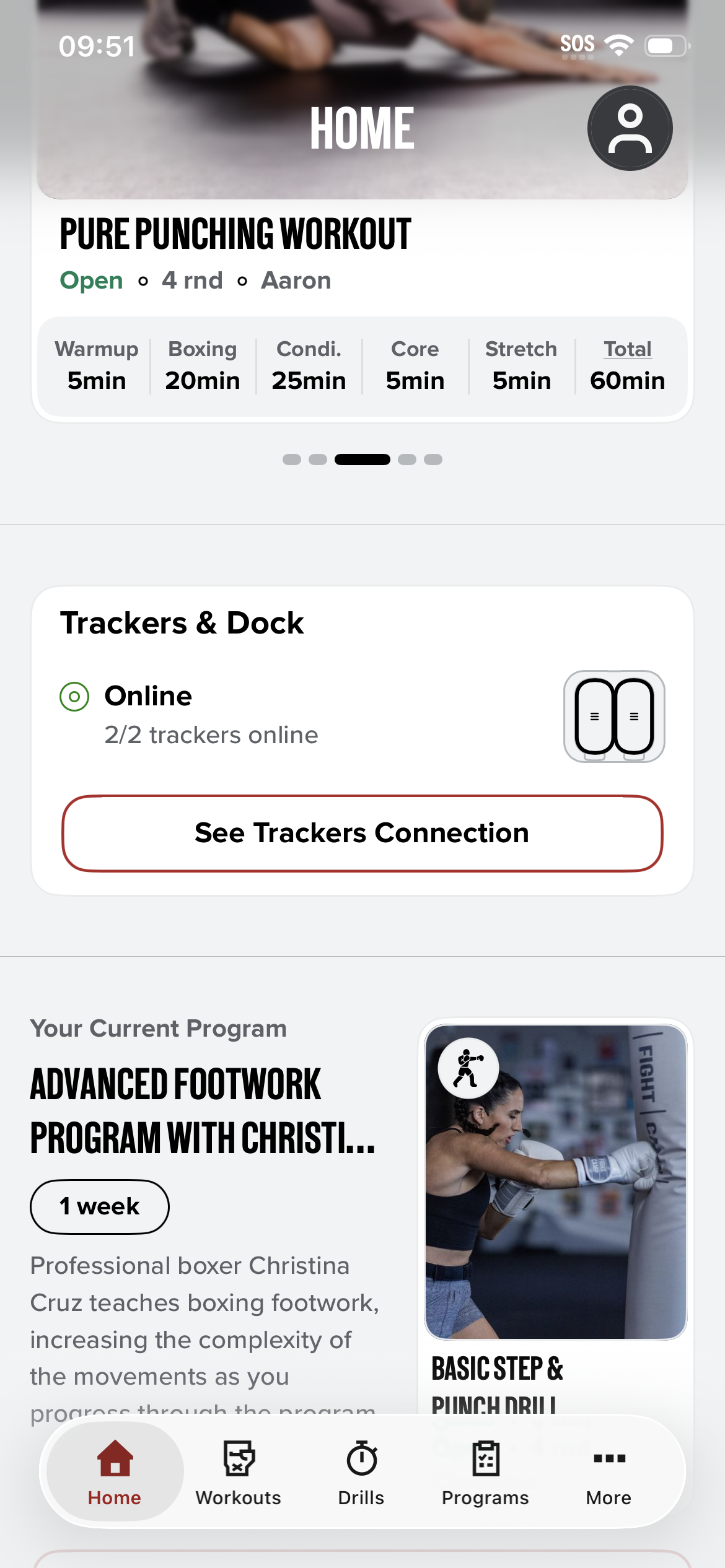
When pairing is done, the Trackers & Dock card on the Home screen shows Online and 2/2 trackers online.
Tip: If you see more than one Dock in the list, another FightCamp Dock is nearby. Select only yours.