Set up two sets for kickboxing
To track kicks, you need 2 Charging Docks and 4 Trackers: one Tracker for each hand and each foot.
Place 2 Trackers in each Dock.
In the app, go to Select Equipment and choose Trackers & Dock (New generation), then tap Continue.
Under What are you setting up?, choose Boxing & Kickboxing (two docks & four trackers).
When the app finds your Docks, check both of them.
Tap Pair Equipment.
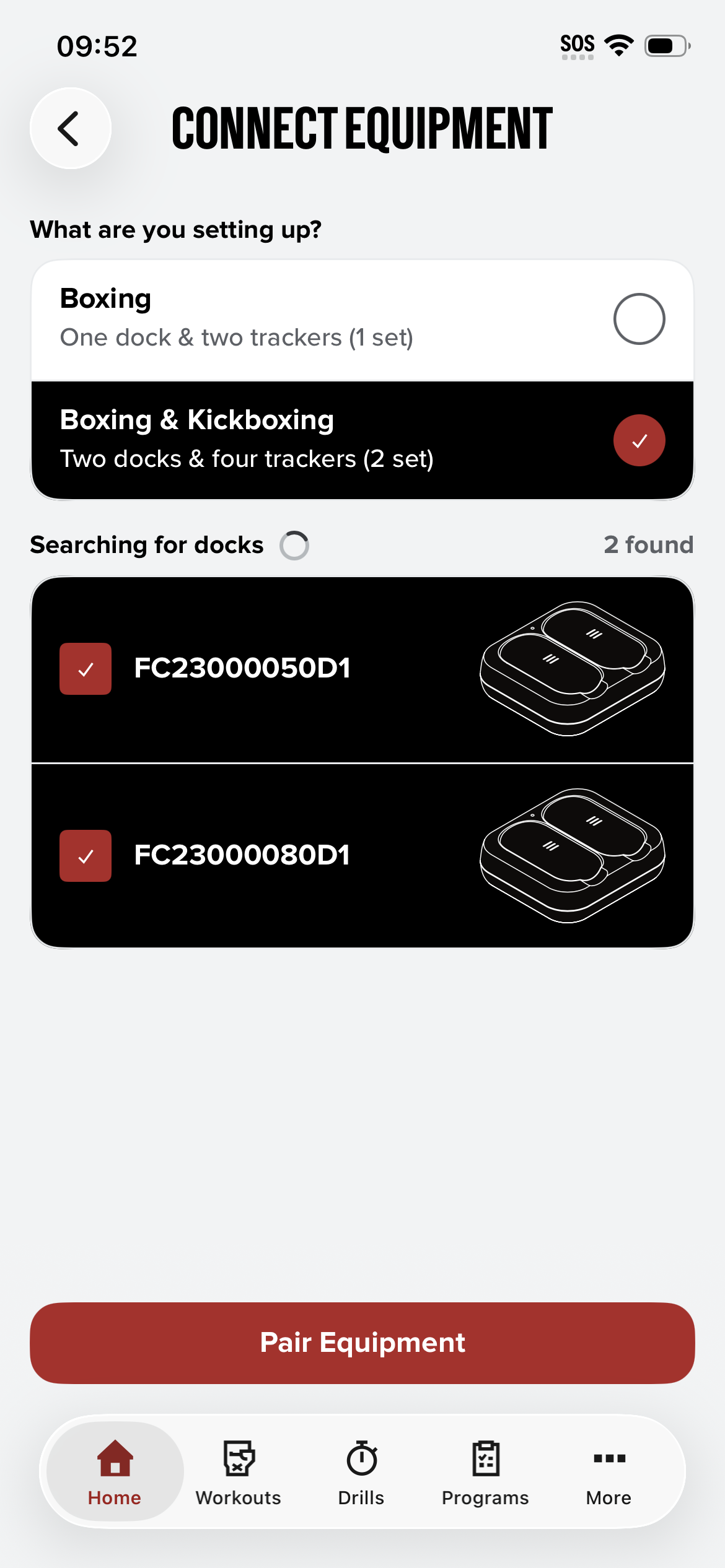
.
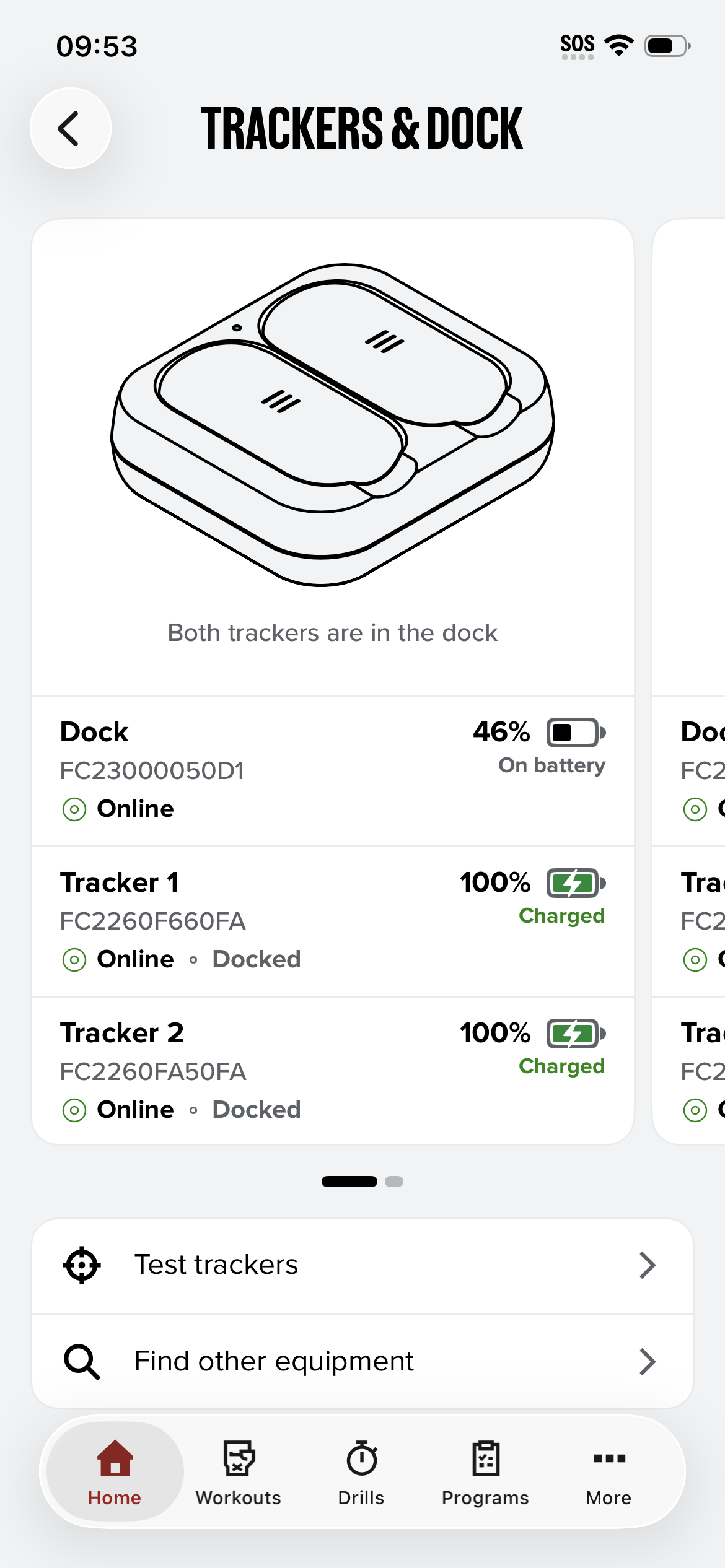
You can see both Docks on the Trackers & Dock screen. Swipe left or right to switch between them.
Already paired one set and just got a second? Tap Find other equipment, choose Boxing & Kickboxing, and pair both Docks.